How Bible-aware previews keep your notes uncluttered
Bible-aware previews help when a reference matters, while staying out of the way when you are simply writing.
The problem with switching apps
When you are writing a devotional, study note, sermon outline, or personal reflection, switching away to check a verse can break the thread. You may return with the passage, but lose the shape of the thought you were building.
Why previews are better than inserting everything
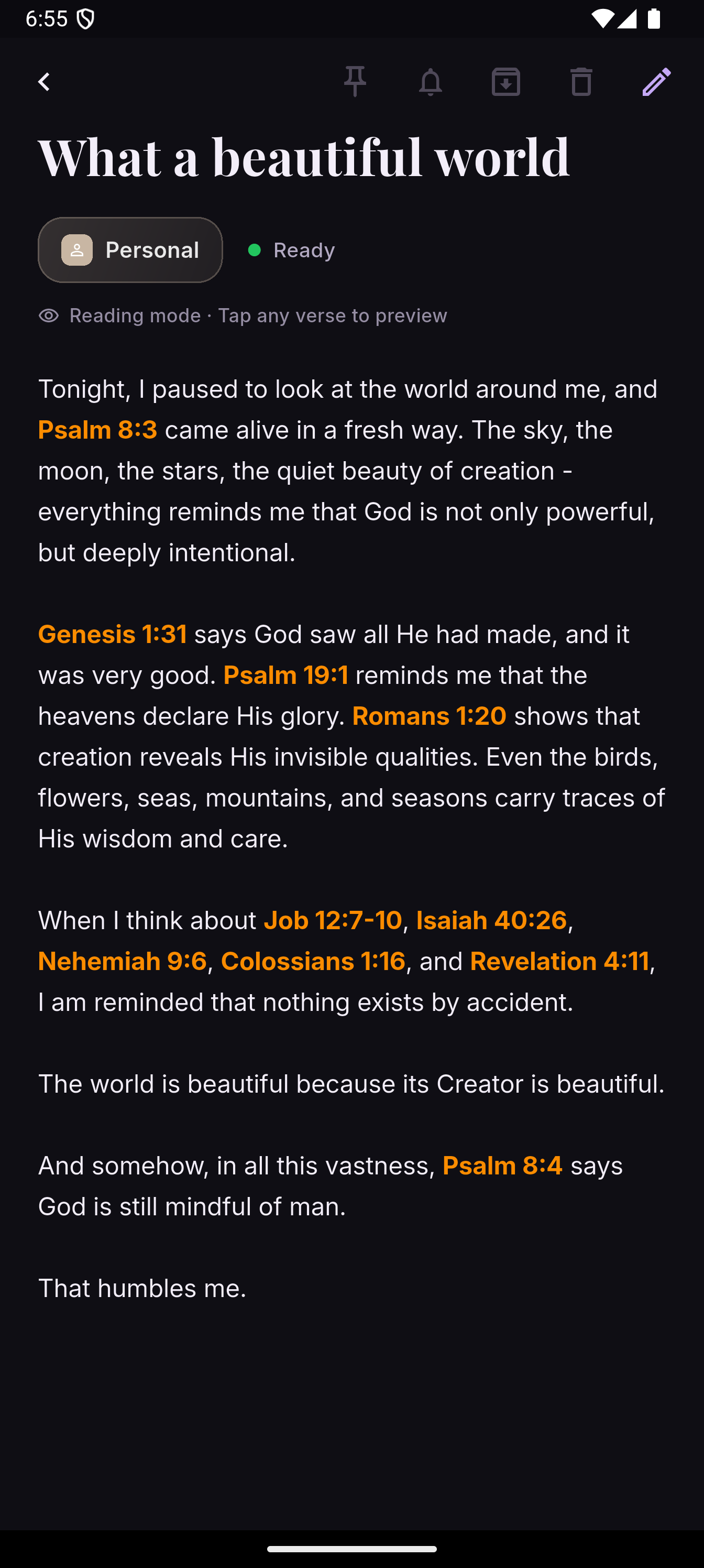
Full verse insertion can make a note bulky very quickly. StilledInk keeps the note as the main object. You can type references naturally, preview the verse when needed, and keep the body of the note uncluttered.
The feature is optional. It is there when a reference helps, and quiet when it does not.
How to use Bible-aware previews
- Type references naturally. Add references such as John 3:16, Romans 8:28, or Psalm 23 in your note.
- Preview without leaving the note. Use the preview when you want to check the verse in context.
- Avoid automatic bulk. Keep the verse out of the main note body unless you truly want it there.
- Return to writing. Close the preview and continue with your original thought.
When to turn it off
If you are drafting a note where references are not important, or if you simply want a plain writing surface, keep Bible-aware previews out of the way. StilledInk is designed to support writing, not interrupt it.